IT Support Dallas: Enterprise Help Desk Services for DFW Businesses
Dallas-Fort Worth is the fourth-largest metro area in the United States, home to 24 Fortune 500 companies and tens of thousands of growing businesses that depend on technology to compete. In a market this dynamic, IT support isn't just a line item on your budgetâ€â€it's the foundation that everything else runs on.
But here's the reality that many DFW business owners face: the IT support they're paying for doesn't match the IT support they actually need. They're stuck with slow response times, unresolved tickets, and providers who treat every client the same regardless of industry or complexity. In a city where businesses move fast and competition is relentless, that gap between expectation and delivery can cost you customers, revenue, and top talent.
This guide covers what enterprise-grade IT support looks like for Dallas businessesâ€â€the service levels you should demand, how help desk operations should function, what different industries need, and how to evaluate providers in the DFW market.
The State of IT Support in Dallas-Fort Worth
The DFW technology landscape is unlike almost any other market in the country. Here's what shapes the IT support conversation for Dallas businesses:
Corporate Relocation Wave
The steady stream of companies relocating to Dallas from California, New York, and other high-cost markets has intensified competition and raised the bar for professional servicesâ€â€including IT support. Companies arriving from tech hubs expect enterprise-grade support: fast response times, deep technical expertise, and proactive management. This has forced the entire Dallas IT support market to level up.
Industry Concentration
Dallas isn't just diverseâ€â€it has deep concentrations in specific industries that each have unique IT requirements. Financial services in Uptown and the Arts District. Healthcare systems spanning the metroplex. Logistics and distribution companies leveraging DFW's central location. Energy companies in the Permian Basin corridor. Defense contractors supporting military installations. Each of these industries has specific compliance requirements, technology stacks, and support needs that generic IT providers can't adequately address.
Talent Market Dynamics
DFW's tech talent market is both a blessing and a challenge. The region's growth has attracted skilled professionals, but competition for IT talent is fierceâ€â€especially in cybersecurity, cloud engineering, and DevOps. The average IT support engineer in Dallas earns $70,000-$95,000, while specialized roles command $100,000-$150,000+. For mid-sized businesses trying to build internal IT teams, these economics often make outsourced IT support the smarter choice.
Geographic Scale
The DFW metroplex covers over 9,000 square miles. A business in downtown Dallas might have satellite offices in Plano, Fort Worth, Arlington, or Frisco. On-site IT support needs to account for this geographic spreadâ€â€a provider based solely in one corner of the metroplex will struggle to deliver timely on-site support across the region.
Enterprise Help Desk Services: What Dallas Businesses Should Expect
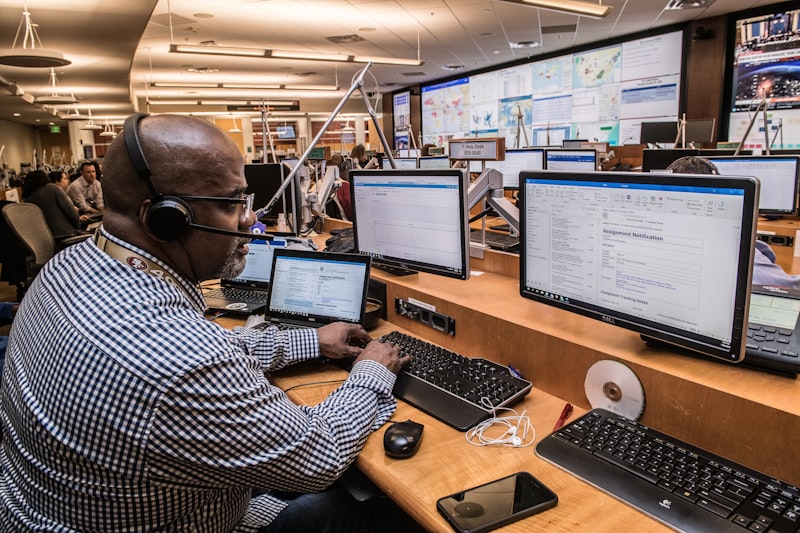
An enterprise help desk isn't just a phone number to call when something breaks. It's a structured, measured, and continuously optimized support operation that keeps your technology running and your employees productive.
Tiered Support Structure
Enterprise help desks operate on a tiered model that routes issues to the appropriate level of expertise:
Tier 1  First Response: Handles the most common support requestsâ€â€password resets, basic application troubleshooting, email configuration, printer issues, and general how-to questions. Good Tier 1 support resolves 60-70% of all incoming tickets without escalation. This is where first-call resolution happens, and it's the biggest factor in employee satisfaction with IT support.
Tier 2  Advanced Technical Support: Handles issues that require deeper technical knowledgeâ€â€server issues, network connectivity problems, complex application errors, VPN troubleshooting, and permission/access management across enterprise systems. Tier 2 technicians typically have 5+ years of experience and hold relevant certifications (Microsoft, Cisco, CompTIA).
Tier 3  Engineering and Architecture: Handles the most complex issuesâ€â€infrastructure design, advanced security incidents, cloud architecture problems, and issues that require vendor coordination. These are your senior engineers and architects who work on the hardest problems and also drive strategic improvements to your environment.
Tier 4  Vendor and Specialist Escalation: For issues that require direct involvement from software vendors, hardware manufacturers, or highly specialized consultants. A good help desk manages these escalations on your behalf so you don't have to sit on hold with Microsoft or Cisco yourself.
Key Performance Metrics
Enterprise help desks are measured by specific performance metrics that Dallas businesses should track:
First-Call Resolution (FCR): The percentage of tickets resolved during the initial contact. Industry benchmark is 70-75%. Top performers hit 80-85%. If your current provider's FCR is below 65%, you're losing significant productivity to repeated callbacks and extended ticket lifecycles.
Mean Time to Respond (MTTR): How quickly a technician begins working on your issue after it's reported. For critical issues, this should be under 15 minutes. For standard requests, under 1 hour during business hours.
Mean Time to Resolve (MTTR): The total time from ticket creation to resolution. Critical issues should be resolved within 1-4 hours. Standard requests within 4-8 business hours. This metric reveals whether your provider has the depth of expertise to actually solve problems efficiently.
Customer Satisfaction (CSAT): Measured through post-interaction surveys. Enterprise providers should maintain CSAT scores above 95%. Anything below 90% indicates systemic issues with support quality.
Ticket Backlog: The number of unresolved tickets at any given time. A growing backlog indicates the provider is understaffed relative to their client baseâ€â€and your issues are getting lost in the queue.
Support Channels
Dallas businesses should have multiple ways to reach their help desk:
Phone: Still the preferred channel for urgent issues. Calls should be answered by a live technician within 60 secondsâ€â€not routed through an IVR maze that wastes 5 minutes before connecting you to a person.
Email: Best for non-urgent requests and issues that benefit from written documentation. Email submissions should generate an automatic ticket with a confirmation number and expected response time.
Web Portal: A self-service portal where employees can submit tickets, check status on existing requests, and access a knowledge base for common issues. Good portals also provide visibility into system status and planned maintenance windows.
Chat/Instant Messaging: For quick questions and minor issues that don't warrant a phone call. Live chat with a technician should be available during business hours at minimum.
Mobile App: For employees who work primarily on mobile devices or in the field. The ability to submit a ticket, attach a screenshot, and track status from a phone is increasingly important for Dallas businesses with mobile workforces.
IT Support for Dallas Industry Verticals
Generic IT support doesn't cut it for Dallas businesses operating in regulated or specialized industries. Here's what industry-specific IT support looks like:
Financial Services
Dallas is a major financial center, home to banks, investment firms, insurance companies, and a growing fintech sector. IT support for financial services must address:
Compliance: SOC 2, PCI DSS, GLBA, SEC regulations, and state-specific requirements. Your IT support provider needs to understand these frameworks and ensure your technology environment maintains continuous complianceâ€â€not just at audit time.
Security: Financial data is the most valuable target for cybercriminals. IT support for financial firms must include advanced threat detection, data loss prevention, encrypted communications, and rapid incident response capabilities.
Uptime: Financial systems have zero tolerance for downtime during trading hours or client-facing periods. Your help desk needs to prioritize financial system issues with the urgency they deserve and have the expertise to resolve them quickly.
Data Sovereignty: Regulations around where financial data can be stored and processed require IT support providers who understand data residency requirements and can ensure your cloud and backup configurations comply.
Healthcare
The DFW healthcare landscape includes major hospital systems, specialty practices, outpatient clinics, dental offices, and a growing telehealth sector. IT support for healthcare must address:
HIPAA Compliance: Every aspect of your IT environment that touches Protected Health Information (PHI) must comply with HIPAA requirements. This includes access controls, encryption, audit logging, business associate agreements, and breach notification procedures.
EHR/EMR Support: Electronic health record systems like Epic, Cerner, Athenahealth, and eClinicalWorks are mission-critical. Your IT support team needs experience with these platforms and the ability to troubleshoot issues quickly so clinical staff can focus on patient care.
Medical Device Integration: Connected medical devices create unique networking and security challenges. IT support providers need to understand medical device networks, segmentation requirements, and FDA guidelines for connected health technology.
24/7 Priority: Healthcare doesn't stop at 5 PM. IT support for healthcare organizations must provide true 24/7 coverage with clinically aware prioritizationâ€â€an EHR system issue at 2 AM needs the same urgency as one at 2 PM.
Legal Services
Dallas's legal community ranges from large firms in the Arts District to boutique practices across the metroplex. IT support for law firms must address:
Document Management: Legal document management systems (iManage, NetDocuments) and eDiscovery platforms require specialized support and careful data handling procedures.
Confidentiality: Attorney-client privilege extends to digital communications and data storage. IT support providers must maintain strict confidentiality protocols and understand the ethical obligations that govern legal technology.
Billing System Integration: Time and billing systems are the lifeblood of law firm operations. Downtime or data issues in these systems directly impact revenue. IT support needs to prioritize billing system issues appropriately.
Manufacturing and Distribution
DFW's central location and transportation infrastructure make it a hub for manufacturing and distribution. IT support for these industries must address:
OT/IT Convergence: Manufacturing environments increasingly connect operational technology (factory floor systems, PLCs, SCADA) with IT networks. Support providers need to understand both worlds and the security implications of connecting them.
ERP Support: Enterprise resource planning systems like SAP, Oracle, and Microsoft Dynamics are central to manufacturing and distribution operations. IT support teams need expertise in these platforms.
Multi-Site Support: Manufacturing and distribution companies often have multiple facilities across the metroplex. IT support needs to cover all locations with consistent service levels.
Uptime for Production Systems: When a production line goes down due to an IT issue, the cost is measured in thousands of dollars per hour. IT support must prioritize production-impacting issues and have the expertise to resolve them rapidly.
Energy
Dallas is a center for energy industry operations, from traditional oil and gas to renewable energy companies. IT support for energy must address:
Field Operations: Supporting remote workers in field locationsâ€â€often with limited connectivityâ€â€requires creative solutions and experience with satellite communications, ruggedized equipment, and offline-capable applications.
SCADA and Control Systems: Critical infrastructure requires specialized security and support protocols that go beyond standard IT practices.
Regulatory Compliance: Energy companies face specific regulatory requirements including NERC CIP for utilities and various state and federal reporting requirements that have technology implications.
Professional Services
Consulting firms, marketing agencies, architecture practices, and engineering companies throughout Dallas depend on technology for client delivery. IT support must address:
Collaboration Tools: Remote and hybrid teams need seamless access to Microsoft Teams, SharePoint, project management platforms, and industry-specific collaboration tools.
Creative and Design Software: Supporting resource-intensive applications like Adobe Creative Suite, AutoCAD, Revit, and 3D rendering tools requires understanding of hardware specifications and performance optimization.
Client Data Security: Professional services firms handle sensitive client information. IT support must ensure proper data protection, access controls, and secure file sharing capabilities.
The Cost of IT Support in Dallas
Understanding the DFW IT support market's pricing helps you evaluate proposals and avoid overpayingâ€â€or underpaying for inadequate service:
Managed IT Support Pricing
Per-user pricing: $120-$250 per user per month for comprehensive managed IT support in Dallas. The range depends on the complexity of your environment, industry-specific requirements, and the level of service included.
Enterprise pricing: Larger Dallas businesses (100+ users) often negotiate custom pricing based on their specific environment. Rates of $100-$175 per user are common at scale, reflecting the efficiencies that come with larger, more standardized environments.
Help Desk-Only Pricing
Some Dallas businessesâ€â€particularly those with internal IT teamsâ€â€need only help desk support without full managed services. Help desk-only pricing typically runs $50-$100 per user per month and covers Tier 1 and Tier 2 support, with Tier 3 and project work billed separately.
Total Cost of Ownership Comparison
For a 75-person Dallas business, here's how the math typically works:
Internal IT team: 2 FTEs at $85,000-$110,000 each (salary), plus $30,000-$50,000 for tools, training, and certifications. Total: $200,000-$270,000/year. Coverage gaps remain for after-hours support, vacation coverage, and specialized expertise.
Managed IT support: 75 users × $150/user/month = $135,000/year. Includes full team coverage (help desk, engineering, security, strategic planning), 24/7 support, and no gaps for vacation or turnover.
The managed support model typically saves 30-40% while providing broader expertise and better coverage. For Dallas businesses in this size range, it's usually the clear winner on both cost and capability.
How to Switch IT Support Providers in Dallas
If your current IT support isn't meeting expectations, switching providers is less painful than you might think. Here's the process:
Phase 1: Evaluation (2-4 Weeks)
Assess your current situation: What's working? What isn't? Document your specific pain points, requirements, and priorities. Then evaluate potential new providers against these criteria.
Phase 2: Selection and Planning (1-2 Weeks)
Choose your new provider and work with them to develop a transition plan. This includes a timeline, communication plan for your team, and coordination strategy with your outgoing provider.
Phase 3: Transition (2-4 Weeks)
Your new provider takes over in a structured sequence: first gaining access and documentation, then deploying monitoring and management tools, then transitioning support responsibilities, and finally completing the cutover.
Phase 4: Stabilization (2-4 Weeks)
The first month after transition involves extra attentionâ€â€your new provider learns the nuances of your environment, addresses any issues that surface during the transition, and optimizes their support processes for your specific needs.
A professional IT support company in Dallas will manage this entire process for you. If a provider can't articulate a clear transition methodology, they probably don't have oneâ€â€and your transition will be chaotic.
Frequently Asked Questions About IT Support in Dallas
What's the average response time for IT support in Dallas?
Top Dallas IT support providers guarantee 15-minute response times for critical issues and 30-60 minutes for high-priority problems. Standard requests are typically responded to within 1-2 hours during business hours. Always get response time commitments in writing as part of your Service Level Agreement.
How much does IT support cost per employee in Dallas?
Comprehensive managed IT support in Dallas typically costs $120-$250 per user per month. Help desk-only services run $50-$100 per user per month. Enterprise pricing for 100+ users can be negotiated to $100-$175 per user per month. These ranges vary based on industry complexity and specific service requirements.
Should I outsource IT support or hire an internal team?
For most Dallas businesses with 10-150 employees, outsourced managed IT support provides better value. You get a full team of specialists (help desk, network engineering, security, cloud) for less than the cost of 2-3 internal hires. Companies with 150+ employees often benefit from a co-managed model that combines internal staff with outsourced expertise.
What should I look for in a Dallas IT support provider?
Local presence with technicians in the DFW area, guaranteed response times in a written SLA, experience in your specific industry, transparent pricing without hidden fees, strong security certifications, and references from current clients. Also look for providers with a structured onboarding process and regular business reviews.
Can one IT support company cover all my DFW locations?
Yes, but verify that the provider has sufficient field staff across the metroplex. A provider based only in Dallas proper may struggle to provide timely on-site support in Fort Worth, Denton, or McKinney. Ask about their geographic coverage and on-site response time guarantees for each of your locations.
How quickly can I switch IT support providers?
A well-managed transition typically takes 4-8 weeks from decision to completion. This includes documentation and discovery (1-2 weeks), tool deployment and setup (1-2 weeks), support transition (1-2 weeks), and stabilization (2 weeks). Rushing the process increases risk; a good provider will set realistic timelines.
What's the difference between help desk support and managed IT?
Help desk support is reactiveâ€â€your team calls when they have a problem, and technicians fix it. Managed IT support is proactive and comprehensiveâ€â€it includes everything the help desk does plus 24/7 monitoring, proactive maintenance, cybersecurity management, strategic planning, and vendor management. Think of help desk as the emergency room and managed IT as a complete healthcare plan.
Why Dallas Businesses Trust K3 Technology for IT Support
K3 Technology has been serving DFW businesses with enterprise-grade IT support built on three principles that matter more than anything else: answer the phone, fix the problem, and don't nickel-and-dime people.
Our Dallas IT support operation delivers:
True enterprise help desk: Tiered support structure with experienced technicians at every level. 85% first-call resolution rate. No scripts, no runaroundâ€â€just competent people solving problems.
DFW-wide coverage: Field technicians positioned across the metroplexâ€â€Dallas, Fort Worth, Plano, Frisco, Arlington, Irving, and everywhere in between. Same-day on-site response for critical issues across the region.
Industry expertise: Dedicated practice areas for financial services, healthcare, legal, manufacturing, and professional services. We understand your compliance requirements, your technology stack, and your business prioritiesâ€â€because we've been supporting companies like yours for years.
Measurable results: We publish our performance metrics to clients monthlyâ€â€response times, resolution times, satisfaction scores, and system uptime. Transparency isn't a buzzword for us; it's how we hold ourselves accountable.
Flexible engagement models: Full managed IT, co-managed support, help desk-only, and project-based services. We fit our services to your needsâ€â€not the other way around.
Whether you're a growing startup in Deep Ellum, a financial firm in Uptown, or a manufacturing company in Grand Prairie, K3 Technology provides the IT support that lets your business perform at its best.
Ready to upgrade your IT support? Call (469) 906-2066 or schedule your free IT assessment to see the difference enterprise-grade support makes.
Follow K3 in Google
Make K3 Technology a preferred source
If our IT, cybersecurity, cloud, and AI resources are useful, add K3 as a Google preferred source so our guidance is easier to find in Search, AI Overviews, and AI Mode.

Kelly Kercher
Technology Expert
Kelly Kercher is a technology expert at K3 Technology, specializing in helping Denver businesses leverage IT for growth and efficiency.
Related Services from K3 Technology
Need IT Help for Your Business?
K3 Technology provides comprehensive IT services for Denver and Dallas businesses. Let us help you implement the solutions discussed in this article.
Related Articles